Spares Manager
This can be accessed by selecting the Spares Manager button in the toolbar at the top of the main window.
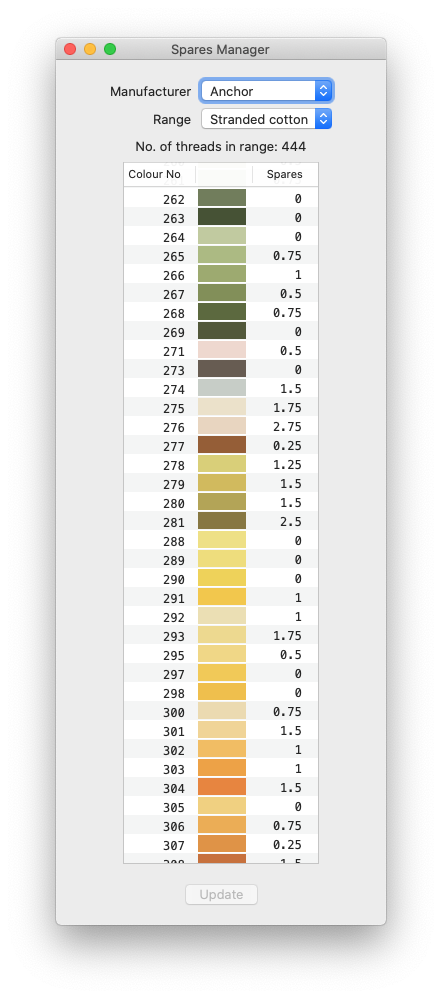
Here you can browse your chosen thread range and update the number of spare skeins (or portions) you have left over from previous projects you may have completed.
This will be useful, particularly if you select the Shopping List in the output options when you Generate, where any logged here will be flagged, to ensure you don't needlessly buy threads you already have, when you're buying the materials to start a new project.
To enter a quantity, simply scroll down the colour range until you find the colour you're looking for, click on that line's entry in the Spares column, press enter ( ↩ )
, supply your quantity, and press enter again.
Note that the app only stores values to the nearest 0.25 of a skein; partial skein quantities will be estimates, after all.
Once you've located and entered all the quantities of skeins you have in your spares, click on the Update button. Those values will then be stored in the app's database.
Please note that these quantities will not be updated automatically, unless you also select the Decrement Spares Counts option when you generate your output.
This is a standalone process. You can update these quantities at any time - they don't have to be updated while generating a new PDF.